Skip to content
English
  • There are no suggestions because the search field is empty.

Empty trash: How to empty trash in the File Manager?

Warning: 

This action is irreversible.

  • To empty the trash, go to your Trash folder: 
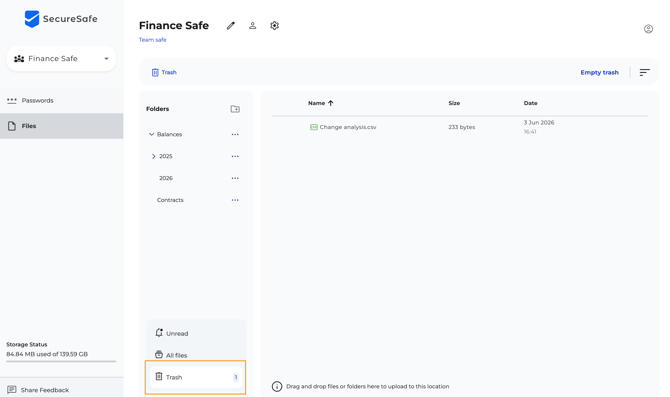
Screen Shot 2026-06-03 at 16.52.16 PM

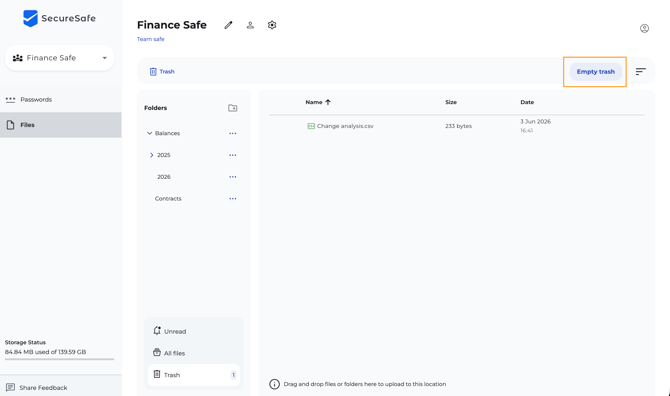
  • On the top right, select Empty trash: 

Screen Shot 2026-06-03 at 16.52.26 PM

  • You will be asked to confirm this operation: 
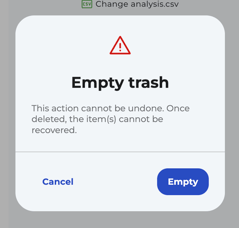
Screen Shot 2026-06-03 at 16.52.37 PM

  • After clicking on Empty, all items on your trash folder have been permanently deleted.