
Biometric Login is available, for now, in iOS versions above 18.
To use your face or fingerprint to access your SecureSafe account, you will need to activate this feature before.
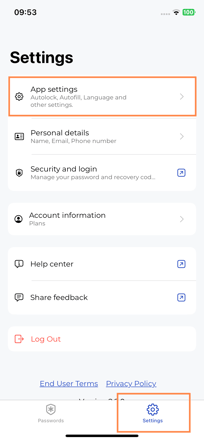
After loging in, go to Settings, and click on App Settings:
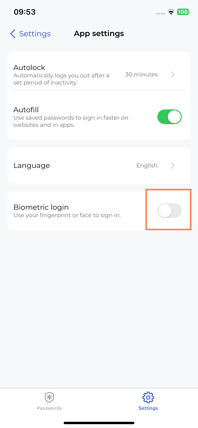
You can now turn on the Biometric Login toggle:
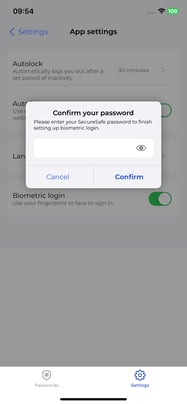
You will be asked to reconfirm your password. Please input your password, and click on Confirm:
You will be prompted by your Operating System to validate your identity with Fingerprint or Face Identification.
After that, you can now access your SecureSafe account using Biometric Login:
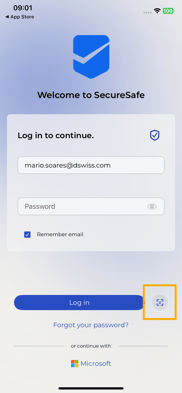
Clicking on it, you will be prompted to verify your identity. After that, you’re logged in.