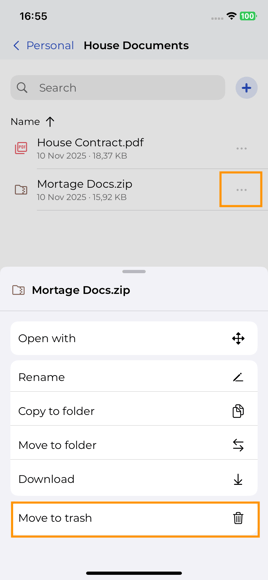
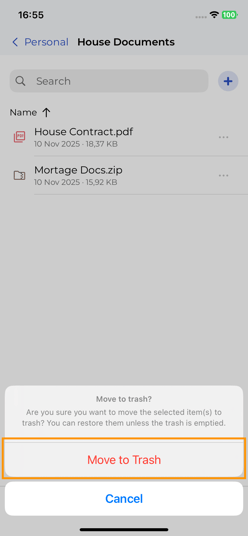
November 26, 2025 SecureSafe File - Mobile: Moving items to trash On the document you want to trash, slect the 3-dots, and then Move to trash: Confirm the action: Your item is now in the Trash Folder. It can be restored, or deleted forever by any other user with access to your safe.