
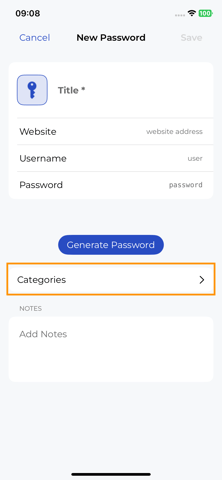
You can create, modify, or delete password categories on the mobile app. This operations are available when you are Editing or Creating a new password.
To do so, click on “Categories”:
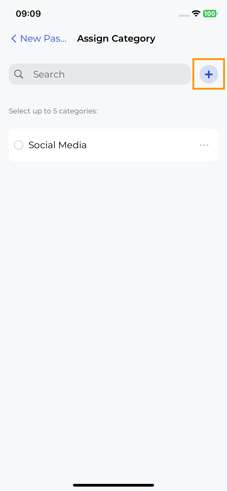
To add a new Category, click on the + button:
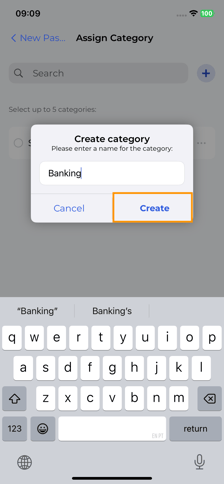
Give your new Category an unique name, and click on “Create”:
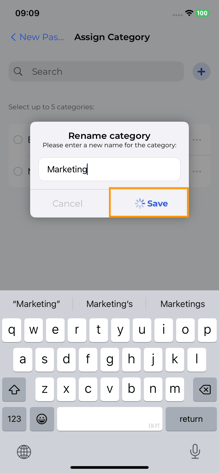
Your new category can now be associated to any password you want. You can also edit the name of an existing category. To do so, click on the 3-dot menu of a category, and then “Rename”:

Give you category a new, unique name, and click on “Save”:
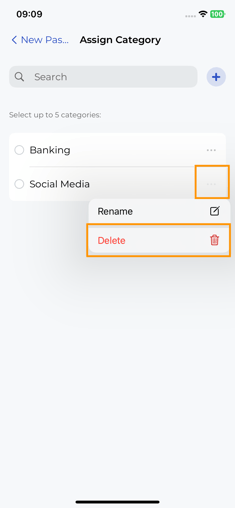
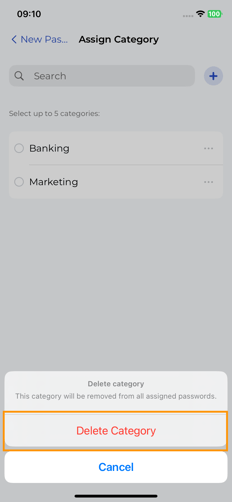
Your categories name is now saved. Lastly, you can also delete a category. Deleting a category is an irreversible step, and all passwords associated with this category will have it removed.
To do so, click on the 3-dot-menu, and then “Delete”:
Confirm this selection:
Your Category is now deleted.